All the features for your professional scheduling needs


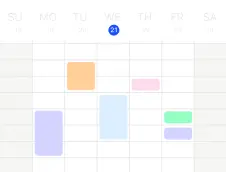


Flexible Scheduling
Customize your scheduling process the way you want
- Specify how far in advance customers can book or cancel an appointment as well as how often they can book
- Allow users to make repeated reservations or require them to sign up for a series of classes at once
- Avoid back-to-back meetings and automatically add buffer time in between appointments
- Use waiting lists with automatic or manual placement to maximize utilization
- Combine multiple calendars together for the most complex scheduling scenarios


Calendar Sync
Combine availability from other calendars
- Link your Google Calendar or Outlook Calendar so that appointments there show up as unavailable on your SuperSaaS schedule
- Display your appointments in any other calendar program, such as the calendar on your phone
- Availability on one schedule can be linked to depend on another one for complex setups
- Add iCal attachments to booking confirmations, so they can easily be added to a calendar


Payments & Pricing
Set pricing rules, promotions and discounts to support your pricing
- Integrate direct payment via PayPal or Stripe, or handle payment yourself
- Create pricing rules, so the appointment price depends on its length, the day of booking, the start time of the booking, available spots, etc.
- Use the integrated webshop feature to sell credit that can be used for sets of bookings or service packages
- Attract new customers with promotions (e.g., “Book 10 sessions now, get 1 free”) and coupon codes (e.g., “Get 10% discount with this code”)
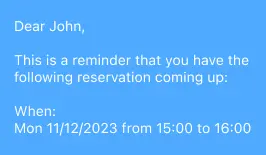
Confirmations & Reminders
Email and SMS notifications ensure no one forgets a booking
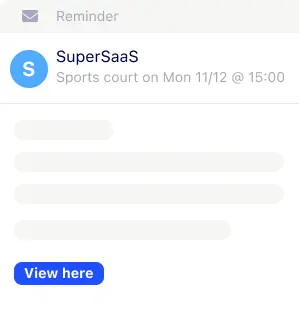
- Receive automatic confirmation emails or SMS when a booking is added to your schedule
- Automatically send email- or SMS reminders to customers at a certain time before the scheduled appointment time
- Send follow-up messages after the appointment to share relevant information, request feedback or generate customer reviews
- Customize your notifications by inserting dynamic texts, for example, to address users by name or confirm the details of the booking


Custom Layout & Forms
Customize the layout and ask the information you need as part of a booking
- Set up the layout of your appointment schedule to match the style of your own website for consistent branding
- Remove references to SuperSaaS, so your customers will not be confused
- Show your schedule by day, week, month or in list format according to the type of bookings you offer
- Choose from 35 languages, 26 currencies and all the world’s time zones

Website Integration
Integrate your appointment schedule on your own website
- Seamlessly and easily integrate your appointment schedule on your own website via JavaScript or WordPress
- Design your own custom “Book Now” button and add it to your website to accept bookings
- Use your own domain name in the schedule address and to send confirmation emails
- Send a reference to the schedule by email, or put it on X/Twitter or Facebook if you don’t have a website
- Use the free module for WordPress, Wix, Joomla and Drupal to automatically log in your users


Integrations
Connect your appointment schedule with your existing apps and software
- Automatically add a Zoom or Google Meet link to a virtual appointment
- Connect your SuperSaaS schedule with other systems through webhooks or our API, or let AI assistants like Claude and ChatGPT manage your schedule
- Use 3rd party integration tools like Make and Zapier to connect to your existing platforms including Slack, MailChimp, Twilio, etc.
- If your site already has its own login system you can log in clients via our API, so they don’t have to log in twice
- Add your own JavaScript code to your booking pages, such as Google Analytics or live chat integration

Access Control
You have full control over who can see and do what
- Define who can access the schedule and which details they can see on group or user level
- Specify which team members can create, update or delete reservations and when they can do so
- Limit signup via shared password, email domain, IP address, people you specify in advance or use an interface with your server
- Act on behalf of users and block or unblock users
- Add internal notes that can only be viewed and edited by authorized users

Reporting
Understand your booking traffic
- Receive a daily schedule activity report by email to stay up-to-date on new and changed bookings
- View customer history and upcoming activity
- Import and export user data in various formats. Download booking overview in printable formats for offline use
- Export booking information to programs such as Excel, to create your own custom reports
- Custom choices on a form can be labeled with an internal product code, to be exported to a spreadsheet later for back office processing


Security & Reliability
Your data is safe, and your schedule is always available
- Above 99.99% up-time
- Fully compliant with the GDPR regulation on data privacy
- Control access to your online appointment schedule by IP address, email address, a shared password and more
- Our servers are located in a state-of-the-art datacenter with 24/7 monitoring, redundant power supplies and internet links
- Automatic backups at regular intervals to two different locations
Frequently asked questions
Can SuperSaaS manage multiple staff members and locations?
SuperSaaS supports unlimited staff members and locations on paid plans, with no extra charge per staff member or location. Each location can have its own schedule with its own services, prices and opening hours, all in one account. Staff who work at more than one location can be shared between schedules, so they are never double-booked.
Can a customer book a staff member and a room at the same time?
Yes. In SuperSaaS a single booking can require several resources at once, for example a therapist and a treatment room, or a boat and a skipper. A time slot is only offered when everything it needs is available, which prevents double bookings when staff, rooms and equipment are shared.
Does SuperSaaS support classes with a waiting list?
SuperSaaS supports classes and events with participant limits and optional waiting lists. When a class is full, customers can join a waiting list and get an automatic message when a spot opens up. Classes can repeat as a series, and you can sell class packs with the credit system.
How does SuperSaaS reduce no-shows?
SuperSaaS supports automatic email reminders and SMS reminders through a configured SMS provider, sent at a time you choose before each appointment. You can ask customers to pay in full or leave a deposit when they book, and bookings that are not paid can be cancelled automatically. A cancellation policy sets how late customers can still change or cancel.
Can customers pay online when they book with SuperSaaS?
Yes. SuperSaaS connects to payment providers such as PayPal, Stripe, Mollie, Square and Klarna. SuperSaaS supports more than 200 currencies, with available payment currencies depending on the provider you choose. Payments go straight to your own account, and SuperSaaS charges no commission on them. Payment-provider fees may apply. You can also sell credit packages, offer coupon codes, and set pricing rules such as a weekend surcharge or an early-bird discount.